
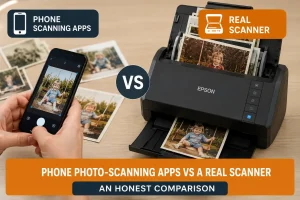
Before you spend money hiring or buying anything, there's a fair question to ask: can't you just use your phone? You've already got it in your pocket, the apps are free, and Google and Photomyne have both spent years making them clever. For a lot of people, the phone genuinely is enough — and we'd rather tell you that than sell you something you don't need.
But "enough" depends entirely on what you're scanning and how much of it there is. Digitising a dozen photos to text your sister is a very different job from digitising 3,000 prints that represent your family's entire history. This is an honest, no-spin comparison of phone scanning apps against a dedicated auto-feed scanner, so you can pick the right tool the first time.
How phone scanning apps actually work
It helps to understand what these apps are really doing, because it's not quite "scanning."
A flatbed or auto-feed scanner passes a light and sensor directly across the print at a fixed resolution. A phone app, by contrast, takes a photograph of your print using the phone's camera, then processes it. The good apps — Google's PhotoScan and Photomyne being the best known — add clever tricks on top: they'll ask you to move the camera to four corners so they can remove glare from the shine of a glossy print, then automatically crop, straighten, and correct the image.
That glare-removal step is genuinely impressive engineering. It's also the source of the app's biggest limitations, as we'll see.
The head-to-head
Let's compare the two approaches across the things that actually matter.
Speed
This is the least close contest of the lot. With a phone app, each photo is a small ritual: position the print, line up the phone, hold steady, capture, wait, sometimes move to four corners, wait again. Call it 15–30 seconds per photo once you include handling. That's fine for ten photos. For a thousand, you're looking at somewhere between four and eight hours of continuous, tedious tapping.
An auto-feed scanner takes a stack of prints and pulls them through at roughly one photo per second. Load 30 prints, press one button, walk away. The average customer who hires our scanner digitises over 3,500 photos in a single rental — a number that is simply not realistic with a phone.
Quality and resolution
Phone apps have improved enormously, and in bright, even light a modern phone can produce a perfectly shareable image. But a photograph of a photo is always a compromise. You're at the mercy of your room's lighting, the steadiness of your hands, and the angle of the phone. Get any of those slightly wrong and you'll see soft focus, uneven brightness, or subtle distortion where the edges of the print aren't quite square.
A dedicated scanner removes all of those variables. It scans every print under the same controlled light, at a fixed 600 DPI, dead flat, perfectly square. The result is consistent — and consistency across thousands of images is worth more than the occasional great phone shot. If you care about print quality for enlargements later, resolution matters a lot; our guide on what DPI you need to print scanned photos big explains why.
Glare and glossy prints
Old prints are often glossy, and glossy plus a light source equals glare. Phone apps fight this with their multi-angle capture, and they do a decent job — but "decent" isn't "perfect," and you'll still get the odd shiny patch across a face or sky. A scanner's diffused internal light sidesteps the problem entirely. No glare, ever.
Consistency and batch handling
Here's the thing nobody mentions until they're 400 photos deep: doing the same fiddly action hundreds of times leads to mistakes. Fatigue creeps in, your framing drifts, a few come out crooked, and you don't notice until you're reviewing them weeks later. Auto-feed scanning is the same every single time because a machine is doing it. Batch a stack, and every image comes out to the same standard.
Editing and enhancement
Both approaches offer some automatic tidying. Phone apps crop and colour-correct on capture. The FastFoto software that comes with a real scanner goes further: automatic colour restoration for faded prints, red-eye removal, and — crucially — it saves both the enhanced version and the untouched original. So you get punchy, revived colours and a faithful archival copy of exactly what the print looked like.
Privacy — the point people forget to consider
Here's a difference that has nothing to do with quality, and it matters more than most people realise. Many phone scanning apps are free because they nudge you toward a cloud service. Your photos get uploaded, stored on someone else's servers, and tied to an account — often with terms of service most people never read. For casual snaps, fine. For your family's entire private history, including photos of your children as kids, that's worth a second thought.
A dedicated scanner connected to your own computer keeps everything local. The images save straight to your hard drive. Nothing is uploaded anywhere unless you choose to upload it. When you hire a scanner from us, your photos never leave your home — no posting originals to a lab, no uploading to an app you don't control. For irreplaceable, personal photographs, that control is genuinely valuable, and it's the same reason people choose home scanning over mail-in services in the first place.
Cost
This is where phone apps have a real, honest advantage: they're free. If your total job is small, that's unbeatable value and you should absolutely use one.
A scanner costs money. Buying an Epson FastFoto outright runs to £500 or more, which makes little sense for a one-off project. Hiring is the middle path — from £85.95 for a few days — and for a big collection it works out at a tiny cost per photo while saving you many hours of work. We break down the numbers in our full photo scanner hire guide.
So which should you actually use?
Let's be straight about it.
Use a phone app if:
- You've got a small number of photos — say, under 50.
- You mainly want to share them quickly rather than archive them at high quality.
- The prints are in good condition and matt rather than glossy.
- You enjoy a slow, hands-on project and aren't in a hurry.
Hire or buy a real scanner if:
- You've got hundreds or thousands of photos. This is the big one.
- The photos are irreplaceable and you want consistent, archival-quality copies.
- You're working through albums, mixed sizes, or fragile old prints.
- Your time is worth more to you than the hire cost — and for most people digitising a lifetime's photos, it is.
- You've got a deadline, like a funeral slideshow or a milestone birthday.
The scenarios where a phone simply can't keep up
A few real-world situations expose the gap most clearly:
Albums. Removing prints from an old album is slow enough on its own (our album guide explains the safe method). Do that and then photograph each print individually with a phone, and a single album can eat an entire evening. Feed the freed prints through an auto-feed scanner instead and it's minutes.
Mixed sizes. Family collections are a jumble — 6×4s, 5×7s, square prints from the 60s, panoramas, wallet photos. A phone app makes you reframe for every single size change. A scanner just takes whatever you feed it and outputs a clean, straight, correctly cropped image every time.
Deadlines. When there's a funeral slideshow to prepare or a big anniversary next week, "slow but free" isn't a real option. You need the job done reliably and fast, which is squarely scanner territory.
Very old or faded prints. A phone photographs a faded print as-is. A scanner's software applies automatic colour restoration, reviving washed-out 1970s and 80s colours while keeping the original — something a phone app can't match on consistency.
The maths that usually settles it
Picture a fairly typical shoebox: 3,500 photos.
On a phone app at a generous 20 seconds each, that's roughly 19 hours of continuous, repetitive work — realistically spread over weeks because nobody can face it in one go. Many people start, get to photo 300, and quietly give up. The box goes back in the loft.
On an auto-feed scanner at one photo per second, the scanning itself is under an hour of machine time. Add handling, sorting, and the occasional tricky print, and you've comfortably done the lot across a weekend. The job actually gets finished — which is the entire point.
That's the real difference. It isn't just quality or speed on paper. It's whether the project ends with your memories safe, or with a half-scanned box and a vague sense of guilt.
Frequently asked questions
Are phone scanning apps good enough for old photos?
For a small number of photos in good condition, yes — apps like Google PhotoScan produce shareable results for free. For large collections, fragile prints, or archival-quality copies, a dedicated scanner is more consistent, far faster, and higher quality.
Is Google PhotoScan as good as a real scanner?
It's genuinely clever and removes glare well, but it's photographing your print rather than scanning it, so results depend on your lighting and steadiness. A real scanner captures every print identically at a fixed resolution, with no glare and no distortion.
How much faster is a scanner than a phone app?
Dramatically. A phone app takes 15–30 seconds per photo including handling. An auto-feed scanner manages about one photo per second. For a large collection, that's the difference between many hours and under an hour of scanning.
Do I need to buy a scanner, or can I hire one?
For a one-off project, hiring makes far more sense than buying. Buying an Epson FastFoto costs £500 or more; hiring one starts at £85.95, and your photos never leave your home.
Can a phone app scan a whole album?
It can, but slowly and inconsistently. For album prints, removing them and running them through an auto-feed scanner is far quicker — see our guide on scanning a photo album without damaging the prints.
The honest verdict
If you've got a handful of photos, put this article down and open your phone's app store — it's the right call and it's free. But if you're staring at boxes and albums that hold years of family history, a phone will let you down long before you finish. Hiring an auto-feed scanner turns an overwhelming project into a finished one, at a fraction of the cost of buying, with every photo staying safely in your own home. That's the comparison, told straight.